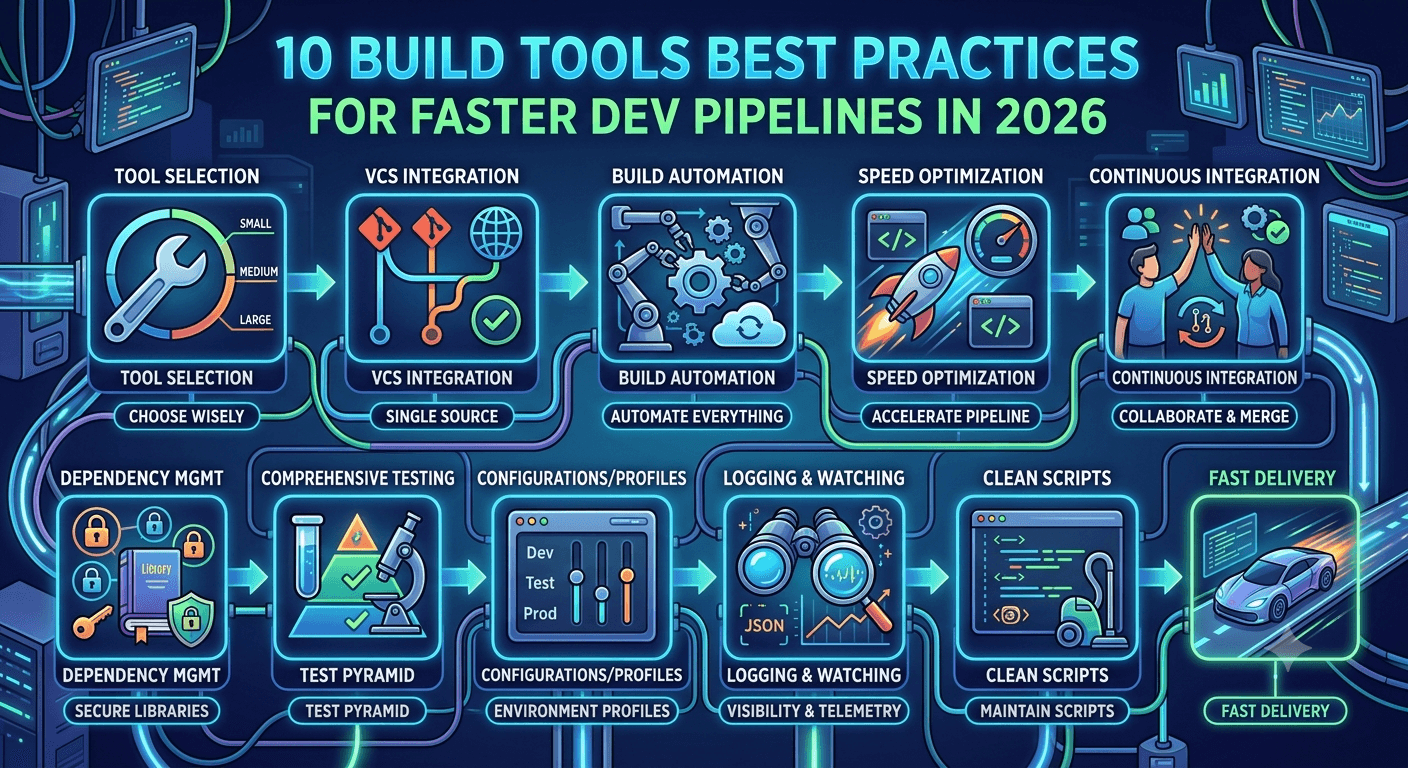
Here is a comprehensive breakdown of the 10 key best practices for using build tools effectively within your development team.
1. Choose the Right Build Tool for Your Project
Picking the best build tool for your stack is a fundamental step in setting up a scalable development environment. Evaluate the size and architectural complexity of your repository; smaller configurations might run perfectly using straightforward scripts or tools like Apache Ant, while massive enterprise applications with multiple sub-modules generally demand robust tools like Gradle or Apache Maven.
Assess your team's familiarity with the tool's ecosystem to ensure productivity. Ecosystems like NPM and Gradle allow you to integrate custom plugins to fit your workflow perfectly, whereas other tools enforce strict conventions out of the box. Before choosing, evaluate build speeds and benchmarks—especially if you are planning a migration—and make sure your chosen ecosystem features active community support or commercial backing.
2. Implement Version Control Integration
Connecting your build workflows natively with Version Control Systems (VCS) like Git minimizes integration friction and establishes a single source of truth for your source code. VCS platforms track chronological codebase changes, allowing parallel branch development without workspace conflict.
Linking your build tools directly to a VCS ensures that every compiled artifact corresponds to an exact, traceable commit hash, providing complete consistency and auditability. Select automation platforms that offer deep integration hooks, such as Jenkins or GitHub Actions, and utilize repository webhooks to automatically trigger execution pipelines immediately when new code changes are pushed.
3. Automate Build Processes
Automating the build process transforms manual development workflows into reliable, predictable routines. Automation ensures that everything from compiling source files to packaging binaries happens seamlessly without manual intervention, cutting down on human error across different setups.
To achieve this, choose declarative, reproducible configuration tools to manage operations identically across all staging areas. Use a centralized repository to store, version, and share final compiled software modules securely across distributed teams. Ensure software testing run scripts automatically execute within the build lifecycle to catch code regressions early, and configure real-time messaging alerts to instantly notify the engineering team of build statuses via Slack, Discord, or Email.
4. Optimize Build Speed
Slow builds cause a bottleneck in productivity. Accelerating your build pipelines keeps your feedback loops tight and developer workflows highly efficient. Instead of running verification suites sequentially, execute multiple tests concurrently across isolated nodes to drastically cut down execution times.
Periodically audit your build configuration to prune redundant plugins, streamline resource copying tasks, and update outdated CLI commands. Additionally, invest in high-performance build agents; moving pipelines to cloud instances equipped with fast processors and SSD storage drastically speeds up compilation times. Implement profiling tools to audit system execution and review build duration reports routinely to identify and fix slow phases.
5. Implement Continuous Integration (CI)
Continuous Integration (CI) encourages developers to commit code changes to a shared mainline frequently, exposing integration bugs early. Host your code in a unified repository to enhance team collaboration, track developmental history, and rollback breaking updates quickly.
Automate artifact generation upon code delivery to identify syntax conflicts and compilation errors early in the cycle. Aim to keep your standard CI feedback cycles under 10 minutes by caching unchanged dependency layers and parallelizing execution scripts. Run rigorous, hands-free automation testing against the codebase to prevent functional defects from sliding into main branches, and broadcast immediate pipeline break notifications across communication channels.
6. Manage Dependencies Effectively
As projects scale, managing third-party open-source libraries can become complex. Proper dependency management is critical to protecting application stability and security. Use reliable toolchains like Maven, Gradle, or npm to define all external resources in a single, standardized configuration file.
Enforce version locking using files like package-lock.json or build.gradle.lockfile to pin specific package versions, guaranteeing consistency across distinct local development systems. Run automated security checks against your dependency tree to identify and remediate known vulnerabilities before code goes to production. Finally, periodically review dependencies to remove unused packages, keeping your application lightweight and shrinking your security attack surface.
7. Set Up Comprehensive Testing
A build pipeline is only as reliable as the testing engine built into it. Comprehensive testing ensures your application functions properly at every level. Embed various testing types inside your pipeline, prioritizing fast Unit Tests followed by Integration Tests and Functional Tests.
Ensure your tests run in clean, separate environments; using container systems like Docker prevents residual test data from skewing results. Configure a fail-fast order to execute fast, basic checks first before spinning up heavy end-to-end scenarios, providing immediate feedback if a core feature breaks. Regularly refactor your test suites to keep pace with changing application code so your assertions remain accurate.
8. Ensure Sufficient Color Contrast & Device Accessibility
While setting up deployment pipelines, ensuring that the visual output of your application matches web accessibility standards is crucial. Good color contrast helps everyone read your interface easily, which is especially important for users with visual impairments or colorblindness. Use online validation tools to verify text readability.
Additionally, make sure your build output translates into a responsive application layout that works seamlessly across phones, tablets, and desktop computers. Use fluid CSS styles and prioritize critical user pathways near the top of the viewport layout to optimize mobile layouts.
9. Use Build Configurations and Profiles
Modern deployment pipelines require software to run across diverse infrastructure zones, including Local, Development, Staging, and Production. Build configurations help developers make their builds work flawlessly across these varying environments.
Document and isolate environment parameters within distinct configuration profiles to make changing targets intuitive for development teams. Rigorously check profile environment variables during initialization to catch missing values before application deployments. Continuously update your build parameters as system architectures shift, ensuring legacy environment variables are safely removed.
10. Implement Logging and Monitoring
Comprehensive visibility into your compilation pipeline makes debugging errors predictable and data-driven. Adopt structured logs (such as JSON formats) to make them highly searchable and easy for analytics tools to parse. Use distinct classification layers—such as DEBUG, INFO, WARN, and ERROR—to help engineers filter through systemic noise during incidents.
Route pipeline logs into centralized log hubs like the ELK Stack or Splunk for unified tracking across your infrastructure. Integrate telemetry platforms like Prometheus and Grafana to continuously track and visualize critical pipeline metrics, including build duration, success-to-failure ratios, and compute resource consumption on build nodes.
11. Keep Build Scripts Clean and Maintainable
Build scripts should be treated with the same care and standards as your core production application code. Give your scripts and variables self-documenting names so anyone on the team can understand the script's intent instantly.
Modularize massive scripts into smaller, isolated components dedicated to singular operations to simplify updates and make debugging a breeze. Add clear comments for non-obvious steps, and maintain an updated README.md explaining the layout of your build automation logic. Store all script logic inside version control repositories like Git to maintain historical visibility, enable easy rollbacks, and leverage peer reviews.
12. Conclusion
Maximizing the value of your build tools is essential for creating high-quality software quickly and predictably. Following these foundational strategies—from choosing the right toolchain to maintaining clean script architectures—empowers engineering teams to deliver robust software efficiently.
The software landscape moves fast. Keep your development pipelines modern by reviewing workflows regularly, optimizing performance bottlenecks, and testing out new automation tools that can give your team an edge. Actively discuss build processes, share optimization tips, and collaborate closely to solve delivery bottlenecks together. Consistently monitoring your automation infrastructure is the best way to ensure long-term stability and fix pipeline errors before they impact delivery.
13. Frequently Asked Questions (FAQs)
What are the main jobs a build tool should do? A modern build tool is designed to automate repetitive, error-prone tasks in the development cycle. Its core responsibilities include compiling source code into machine-executable binaries, resolving and fetching external library dependencies, automatically running test suites to validate code changes, and packaging applications into distributable formats like JARs or Docker images.
Why is build automation important for engineering teams? Implementing robust build automation saves valuable engineering hours by freeing developers from manual deployment routines. It eliminates human errors by replacing manual command-line setups with reliable script execution, enhances collaboration across cross-functional teams by ensuring consistent environments, and accelerates time-to-market by speeding up code verification cycles.